Whitespaces are normal characters that are shown in the Code editor, ignored by most developers. Sometimes, It is very useful to show the whitespaces with some grey lines to have clear visibility for a programmer Tabs also contain spaces.
This tutorial explains about showing white spaces as dots and tabs as long lines.
How to Show whitespaces in Pycharm Editor
Please follow the below steps
Open
PyCharmEditorGo to
FileandSettingsMenuor Use Shortcut to Open Settings
- MacOS:
⌘ + ; - Window/Linux:
Ctrl + Alt + S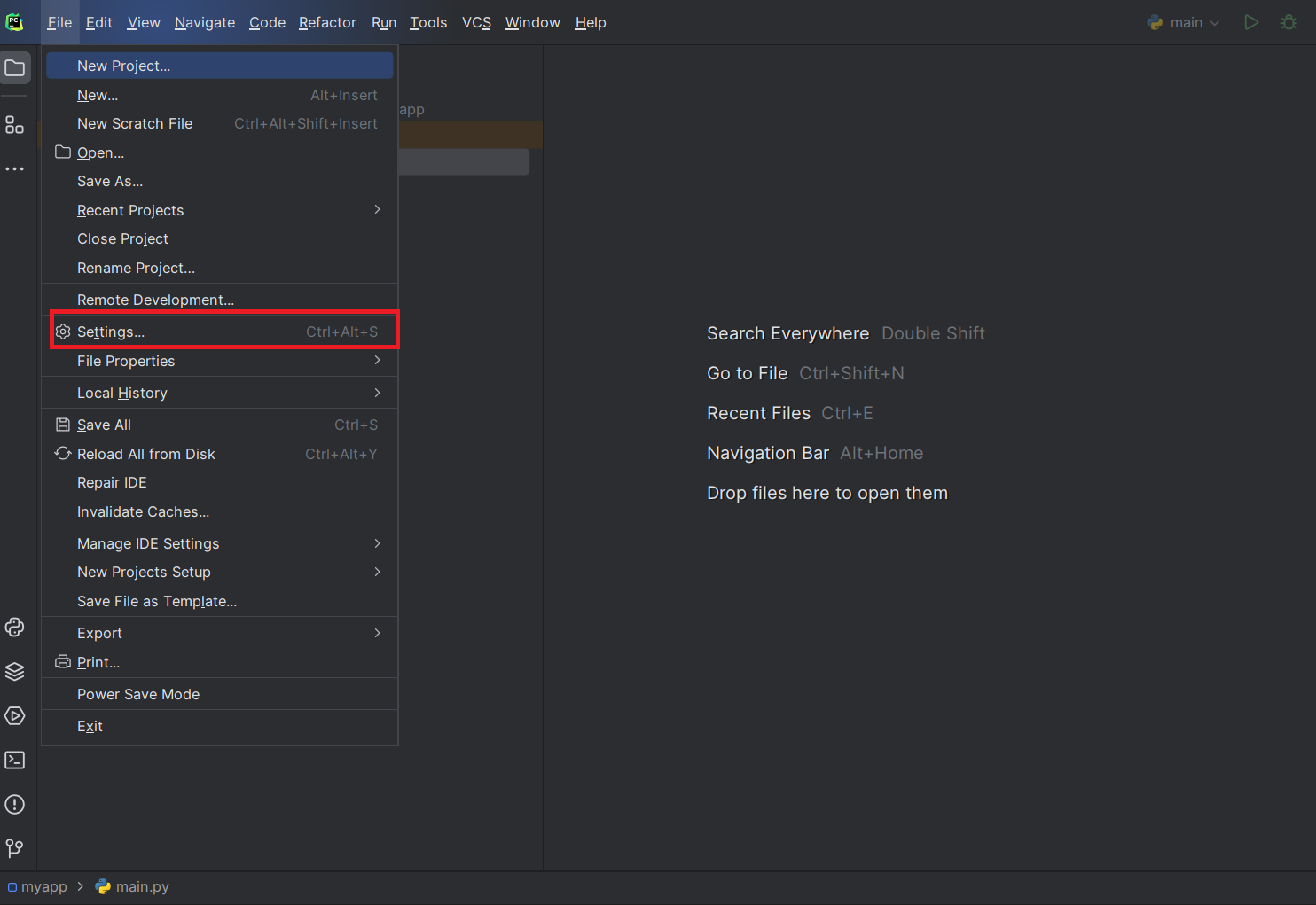
- MacOS:
On Settings Window, Select Editor ->
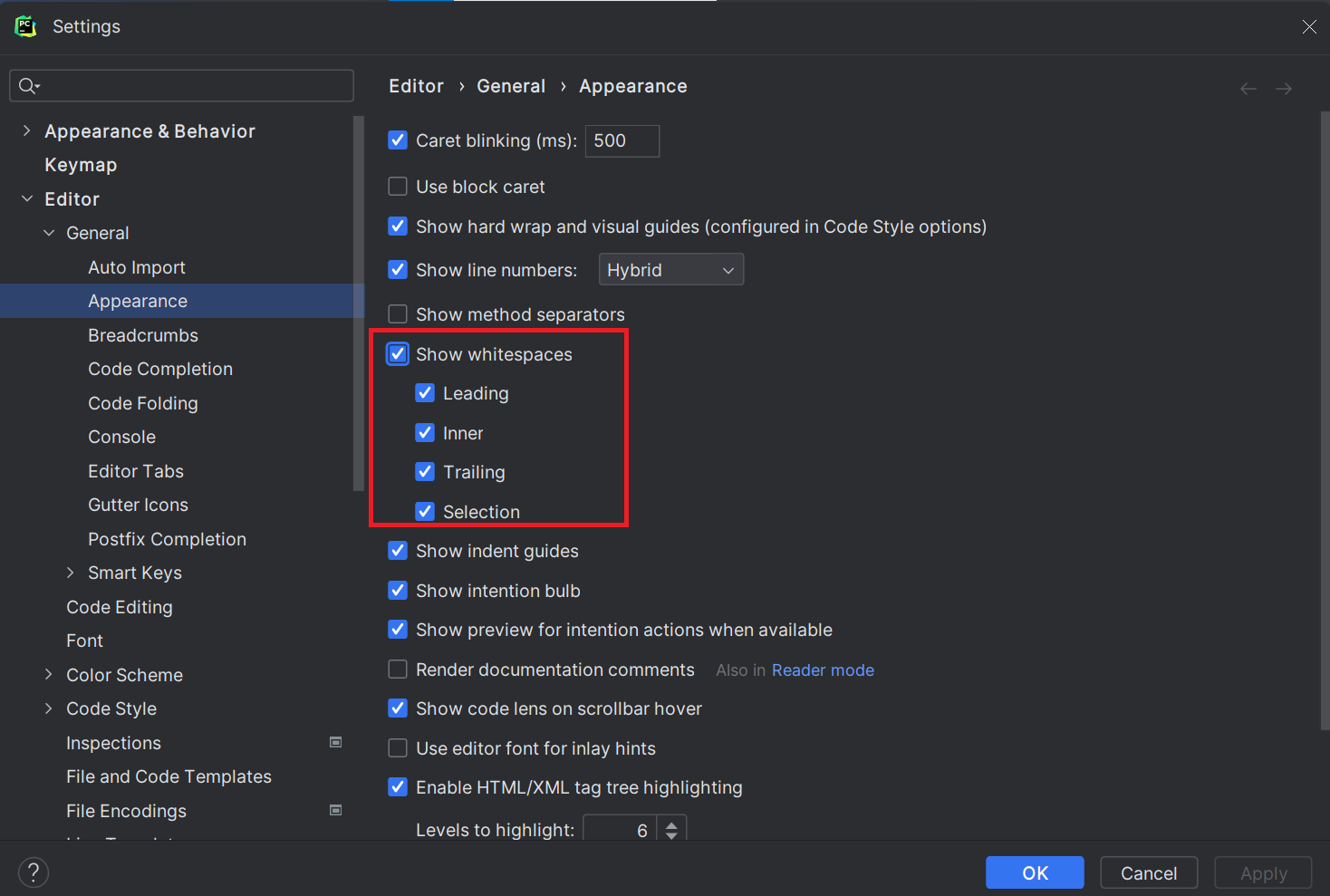
Check Show Whitespaces with the below checks
- Leading: Applies to leading spaces
- Inner: Spaces in words
- Trailing: spaces after a string
- Selection: selected strings spaces
It shows white spaces in the code editor as given below
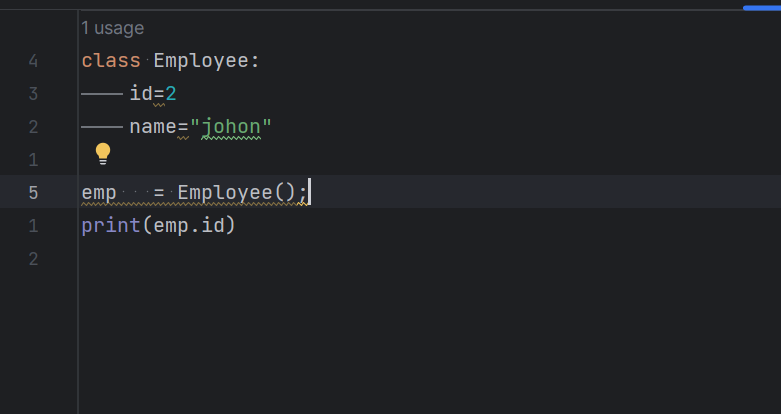
After enabling the above, You observed that Tabs shown as a
long line() and spaces asdot(.)


